
A technical blog doesn’t have to behave as a desktop application. His main work is to deliver legible, legible and accessible items. Nevertheless, with that content there are real needs: a pawned file, a clear / dark theme, code blocks, a form and perhaps some interactive viewing. The architectural decision isn’t to remove JavaScript at any price but to choose what parts they need to run and where.
The project uses Astro for composition and rendering, Content Collection to manage Markdown / MDX and an island Svelte for form. The choice is specific to the type of site: a lot of reading, little continuous interaction. It doesn’t prove that Astro’s universally faster or that other frameworks send unnecessary JavaScript at all times.
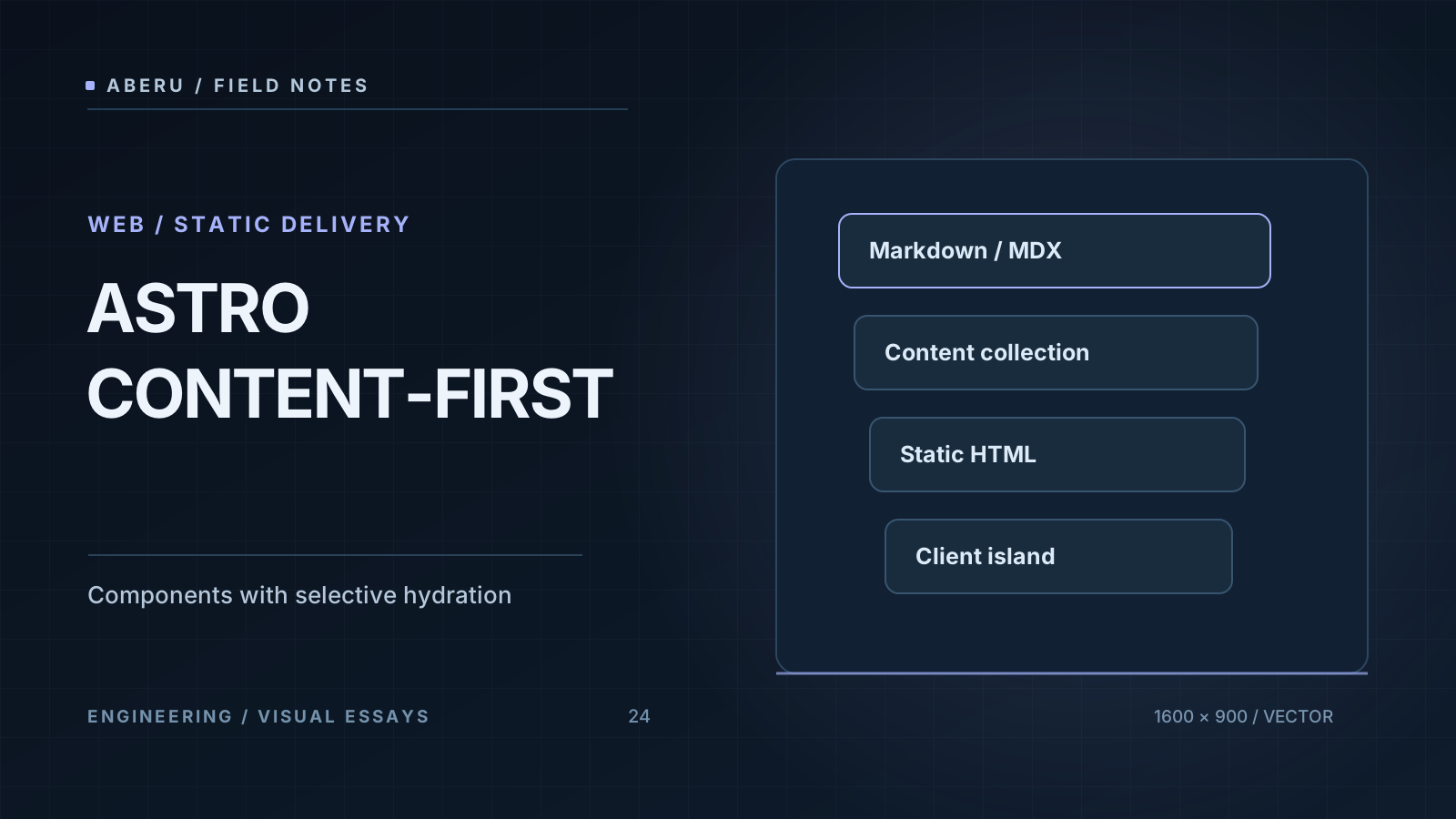
Content as an architecture unit
A post has a title, date, labels, cover image and body. A traditional application could be obtained at every request from a database and here, the items live in versed archives. That starting point reduces operational components: a dynamic CMS isn’t necessary just to serve text that changes when a new version is published.
At the repository, the network has concrete responsibilities:
src/content/blog/contains the documents.src/content/config.tsvalids metadata using a scheme.src/lib/posts.tslooks at published entries and orders them by date.src/pages/blog/[slug].astroassigns a path to every entrance and challenges his body.- The Layouts and Astro components provide header, cover, navigation and related items.
That organization has a valuable property: the content doesn’t by itself decide how to give up the whole site. The document provides data and the path select the article and the layout controls the presentation. It’s not a free abstraction: it allows to modify the reading design without rewriting the posts.
The scheme that really uses this blog
The installed version stated in package.json is Astro 4 (^4.16.18). For this version, the Collection API uses src/content/config.ts and type: 'content'. A representative fragment, consistent with actual configuration, is:
// src/content/config.ts — esquema Astro 4 simplificado
import { defineCollection, z } from 'astro:content';

const blog = defineCollection({
  type: 'content',
  schema: z.object({
    title: z.string(),
    pubDate: z.coerce.date(),
    draft: z.boolean().default(false),
    lang: z.enum(['es', 'en']).default('es'),
    tags: z.array(z.string()).default([]),
    coverImage: z.string(),
    description: z.string().optional(),
    coverAlt: z.string().optional(),
    coverCaption: z.string().optional(),
  }),
});

export const collections = { blog };
coverImage is required by decision of this project, and so does Astro have to cover all collections. The scheme accepts both routes and URL chains and that’s valid for its type, and that the remote resource doesn’t exist or that the cover’s editorially appropriate. draft allows to preserve jobs without publishing them: the getPublishedPosts() helper leaks inputs with fake data.draft before building routes and cards.
A version accuracy: Astro’s recent documentation uses the * Content Layer API * and usually puts collections at src/content.config.ts with loaders as glob(). That model came after Astro 4 and copies his examples in this repository without migrating the project would mix two APIs. The guía de colecciones de Astro 4 and the guía de actualización a Astro 5 explain the border.
Static doesn’t necessarily mean without JavaScript
Astro can generate HTML while building: The production server delivers an already built document with no need to mount a JavaScript component tree into the browser to display the title and paragraphs. But a static page can include JavaScript. In this blog, a small script decides the visual theme and a Svelte component manages the subscription form.
Three questions should be separated:
| Question | Architectural response |
|---|---|
| When’s the HTML generated? | In built for pre-enderized routes and a demand for low demand routes. |
| How much JavaScript gets the browser? | It depends on including scripts and hydrated islands, and not just the type of rendering. |
| What does an active server require? | The routes that run logic on demand, as well as outside services that use the application. |
The blog is set with output: 'hybrid' and a Vercel adapter. In Astro 4, this mode challenges regular pages and allows to mark specific routes with export const prerender = false. That’s exactly what endpoint src/pages/api/subscribe.ts does: it receives a POST demand. The article’s contents, however, can be delivered as pre-online HTML.
// src/pages/api/subscribe.ts — parte del contrato real
import type { APIRoute } from 'astro';

export const prerender = false;

export const POST: APIRoute = async ({ request }) => {
  // Validar la petición y producir una respuesta HTTP.
  // Este ejemplo NO conecta un proveedor de newsletters.
  return new Response(JSON.stringify({ ok: true }), {
    headers: { 'Content-Type': 'application/json' },
  });
};
The fragment shows the separation of responsibilities. does not replace validation of the existing endpoint. The actual code valids the email and returns a simulated success: no subscribers are currently stored and no emails are sent. The documentación de renderizado bajo demanda de Astro 4 describes this hybrid model.
The islands as a deliberate border
In an Astro template we can give back a framework component as HTML without moisturizing it. If an interface needs to react to events after uploading, a client:* directive tells Astro when to download and activate the component code.
---
import SubscribeForm from '../../components/SubscribeForm.svelte';
---

<!-- El HTML del artículo no necesita hidratarse como una SPA. -->
<SubscribeForm variant="plain" client:load />
The actual detail path uses client:load: The form needs to react to sending and offer feedback without a recharge. That has a cost, as small as it will result: there are component JavaScript and hydration work. To move it to client:visible could delay that cost, but it would also change as soon as the interface becomes operational. The directive should not be replaced with an intuition of performance without proving actual experience.
The explanation of rendering, downloading, evaluating and hydration, together with the exact use of Svelte 4, develops with Islas Svelte en Astro.
Comparison frameworks requires comparison of architecture
The relevant distinction isn’t “Static Astro versus any other dynamic framework.” Next.js can use Server Components and static export. SvelteKit supports presenderized, SSR and renderized client as per the path. A useful comparison asked what additional complexity each alternative introduces for concrete project requirements.
| Alternative | It fits especially when | Commitment to be assessed |
|---|---|---|
| Astro | HTML and content are predominant and interactivity is punctual | Coordination between islands and restrictions of serialization as interplay increases |
| Next.js | The application needs React and a comprehensive model of routes and data | Distinguish Server Components, Customer Components, cache and rendering strategies |
| SvelteKit | A Svelte application with navigation, forms and logic by way is required | To consciously choose which routes are presenderized and which ones use server |
| Eleevent / Hugo | The content can be solved with static generation and templates | independently design interactive layers and publishing flow |
It’s wrong to assign fixed amounts of JavaScript to a technology without inspecting the compilation of a specific application. Nor does it be valid to conclude that choosing Astro guarantees a determined Ligthouse score: sources, images, third party scripts, hosting and network continue to influence.
Performance: measure before promise
On an editorial site it’s worth observing the actual experience metrics: LCP (when the main content appears), INP (response to interaction) and CLS (visual stability). The Core Web Vital reference thresholds for the 75 percentile are LCP of 2.5 seconds or less, INP of 200 ms or less and CLS of 0.1 or less, measured separately for mobile and desktop. They are valuation thresholds, and have been measured from this blog. Consultation web.dev for methodology.
The review should combine:
bun run buildto check that routes and resources are generated correctlybun run testfor project tests (including built)- actual measurements of Lightthouse / CrUX or RUM with device and network context
- JavaScript inspections transferred, cover images, HTML generated and Layout changes.
The site already uses evidence about compiled HTML and routes and that checks product contracts, does not replace performance tests at actual users. No KB number, load times and Core Web Vital results are presented without reproducible measurements.
Images, SEO and publication: the boundaries of content—first
The versioned content facilitates consistent URLs and metadata but does not automatically create a discovery strategy. The article’s path receives title and description from its entry and a publication that wants good visibility should also decide to canonical URLs, Open Graph, sitemap, RSS, indexation monitoring and language versions. In today’s configuration, site still declares an example URL: before publishing a final domain we have to replace and validate the absolute URLs generated.
That’s something about images. A valid cover URL for the scheme can be editorially incorrect, disappear or have no appropriate dimensions. Astro offers optimization tools and the Image element but it’s not enough to select an API: you have to check the source, license, alternative text and responsive behavior. The generic images accompanying old blog entries are pre-existing assets, no evidence of the article’s contents. The outstanding editorial improvement includes replacing them with dedicated and approved gates, and not generating placeholders.
When Do Not Choose That Architecture
If the main experience is a highly interactive application with a status shared by tens of components, an application-oriented architecture can be more direct than coordinating islands. If the content changes by user at every request, SSR, cache, authentication and consistency will have to be evaluated and “presenderized everything” will have to be broken. If a team already dominates another solution and gets good metrics, an Astro migration needs measurable justification.
The reason for choosing Astro here is more concrete: the project can treat the items as versed data, generate a static navigation and pay the client performance costs only at the interfaces that require it. Value lies at the border that this architecture lays down, and not at a universal victory from one framework to another.
To continue with the concrete implementation of the editor and archives, check out the article about Markdown y Obsidian. To discuss the interactive side of this decision, continue with Islas Svelte en Astro.
Primary sources: Astro 4 Content Collections, Astro 4 on-demand rendering, Astro Islands, migración de colecciones en Astro 5 and Core Web Vitals.


